You can use Britive Terraform to manage Okta as an identity provider and to provision SCIM users , but with some important clarifications:
✅ Okta Integration with Britive
Britive supports integration with Okta for both:
- SSO via SAML (Okta as an identity provider)
- User provisioning via SCIM (Okta to Britive)
To set this up:
- Create an Identity Provider in Britive :
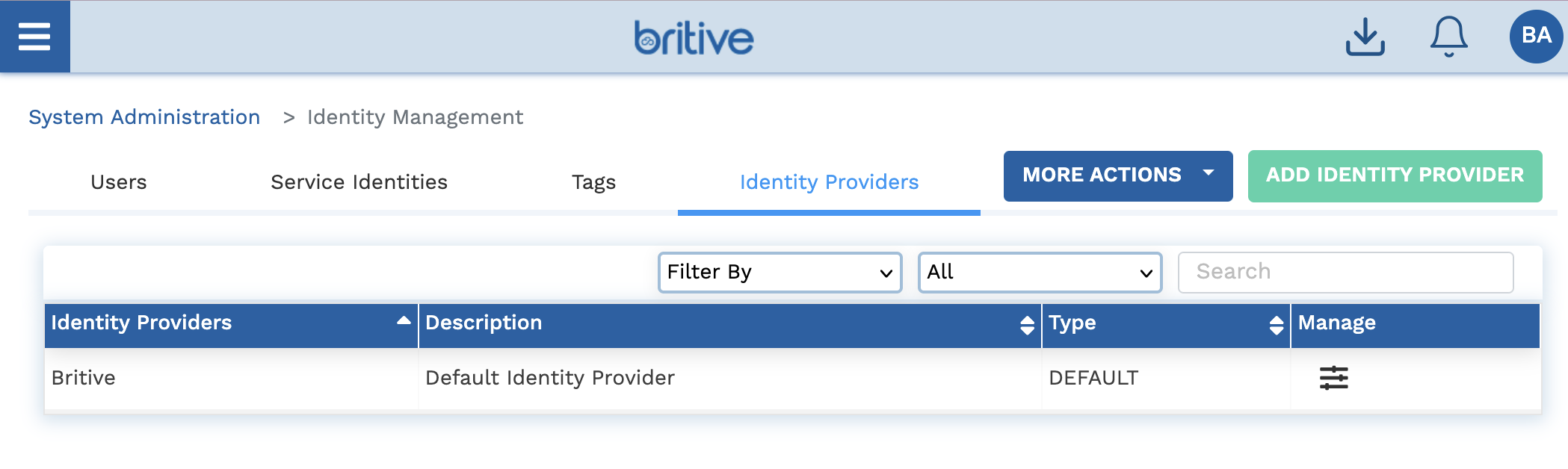
- Go to Admin → Identity Management → Identity Providers.
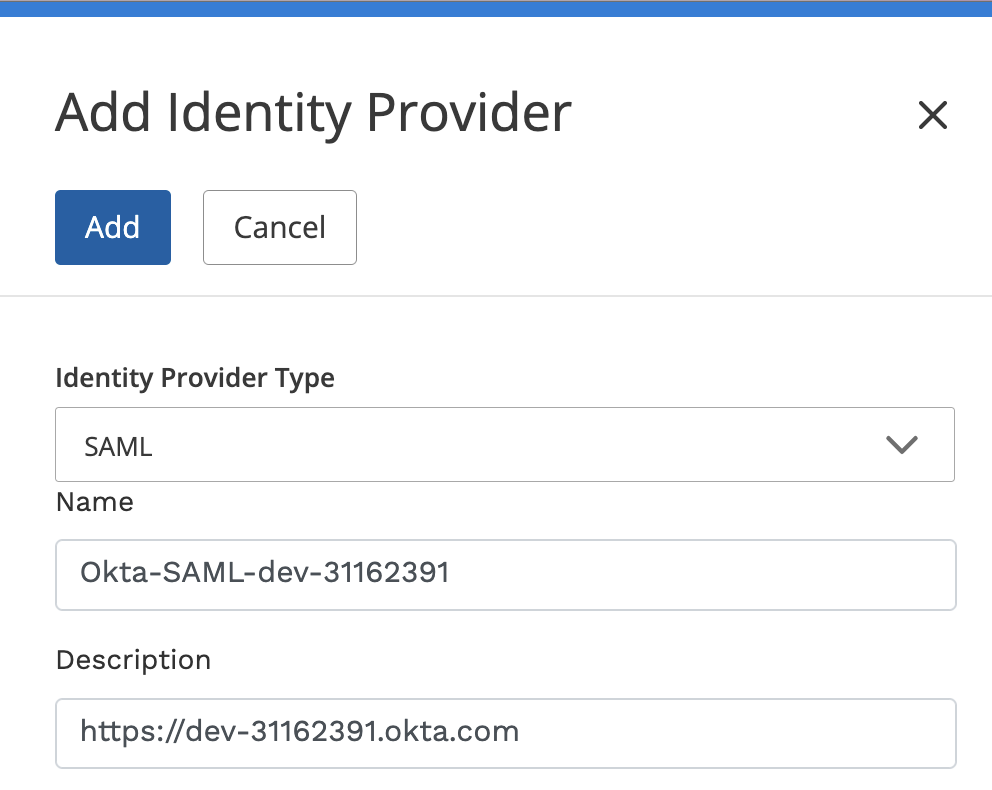
- Add a new provider with type SAML for Okta.
- Enable SCIM Provisioning :
- In Britive, go to the SCIM tab and configure a Generic SCIM provider.
- Generate a SCIM URL and Bearer Token.
- Use these in Okta to configure SCIM provisioning.
- Map User Attributes :
- Britive requires attributes like
Email,First Name,Last Name,Username, andStatus. - You can also map additional attributes 1.
- Britive requires attributes like
–> Add Identity Provider
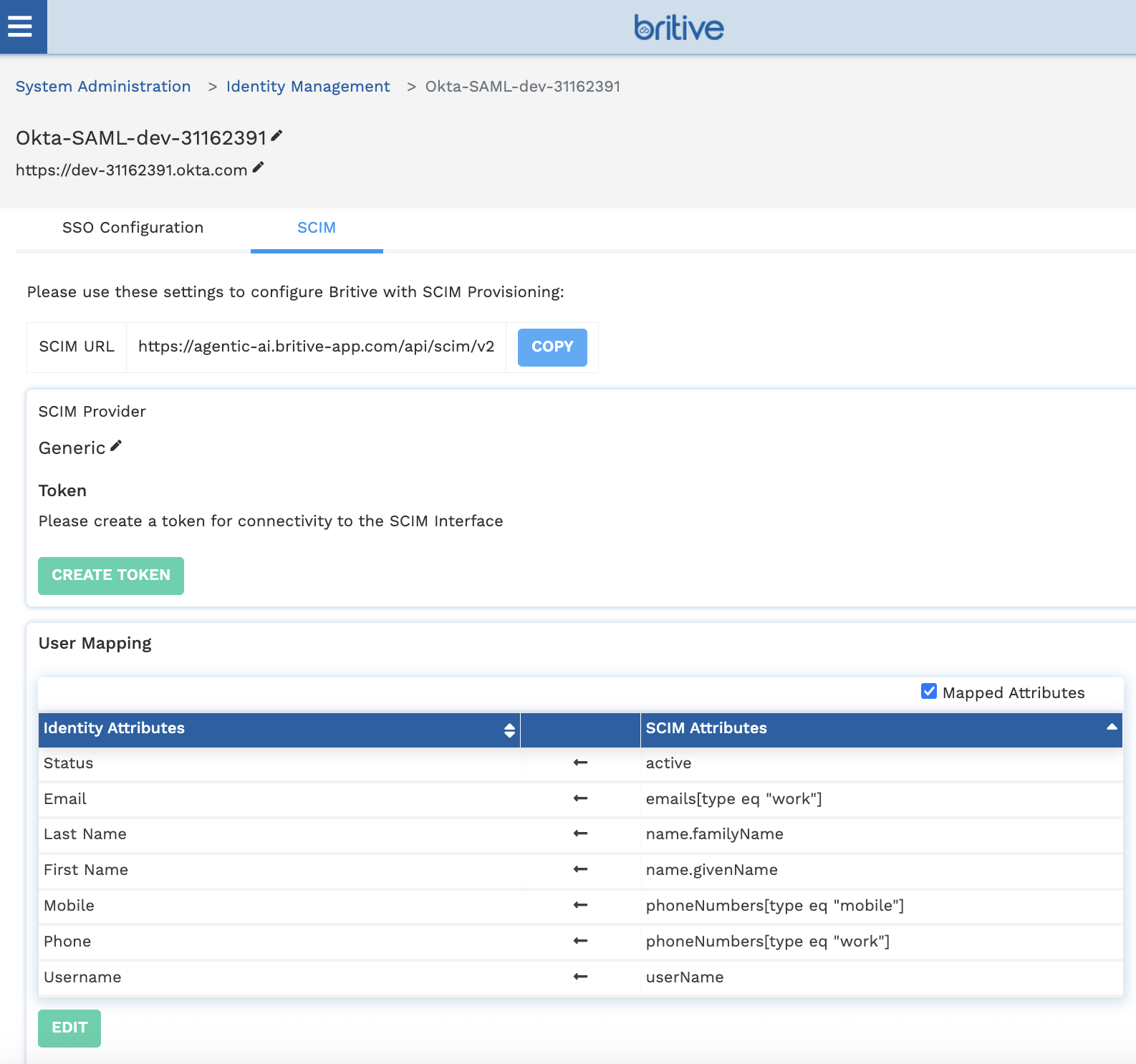
Now click on “CREATE TOKEN” with 90 days rotation option. Now it will look like following
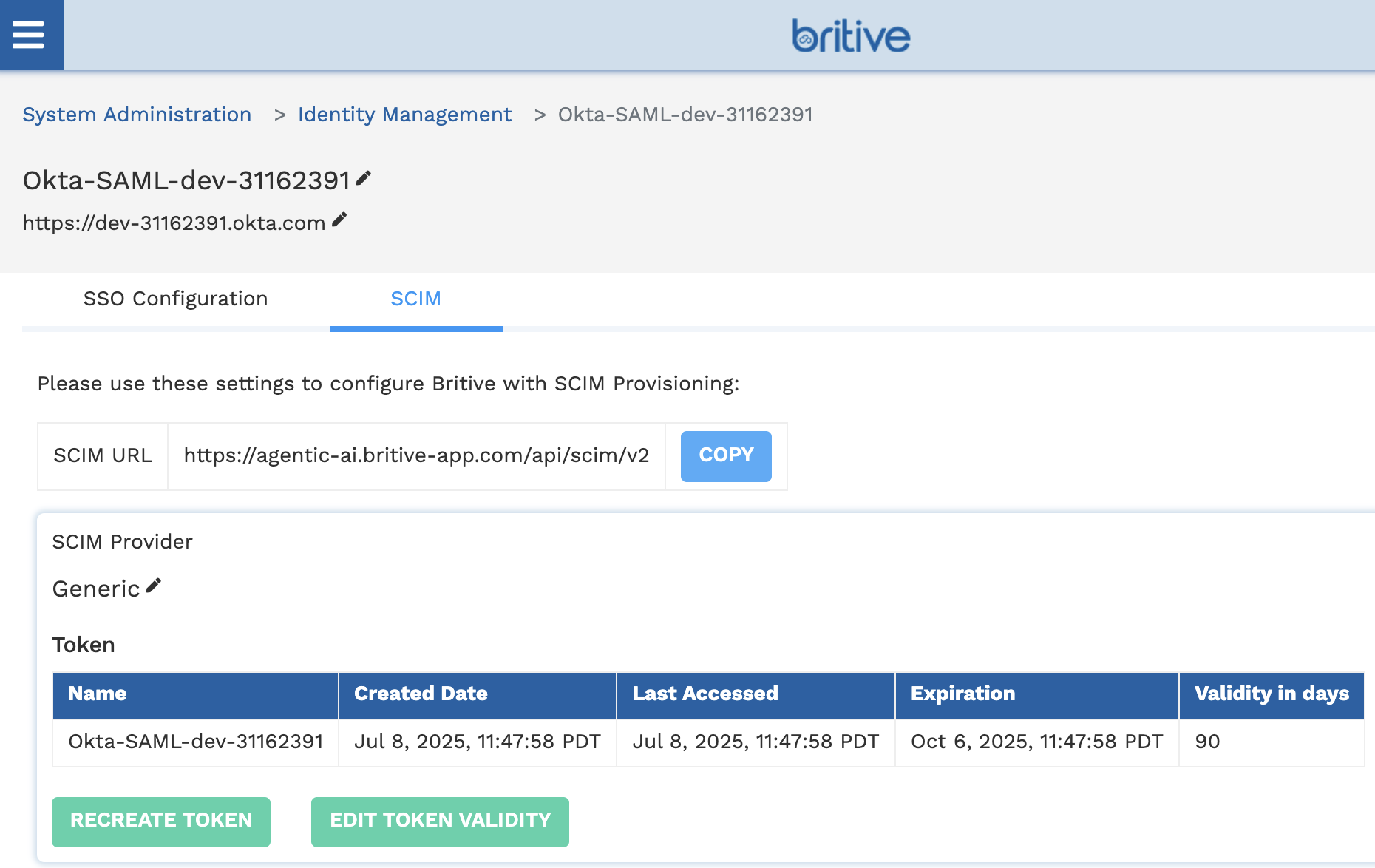
OKTA Side Setting for SCIM
Step 1: Create a SAML Application in Okta
- Log in to Okta Admin Console.
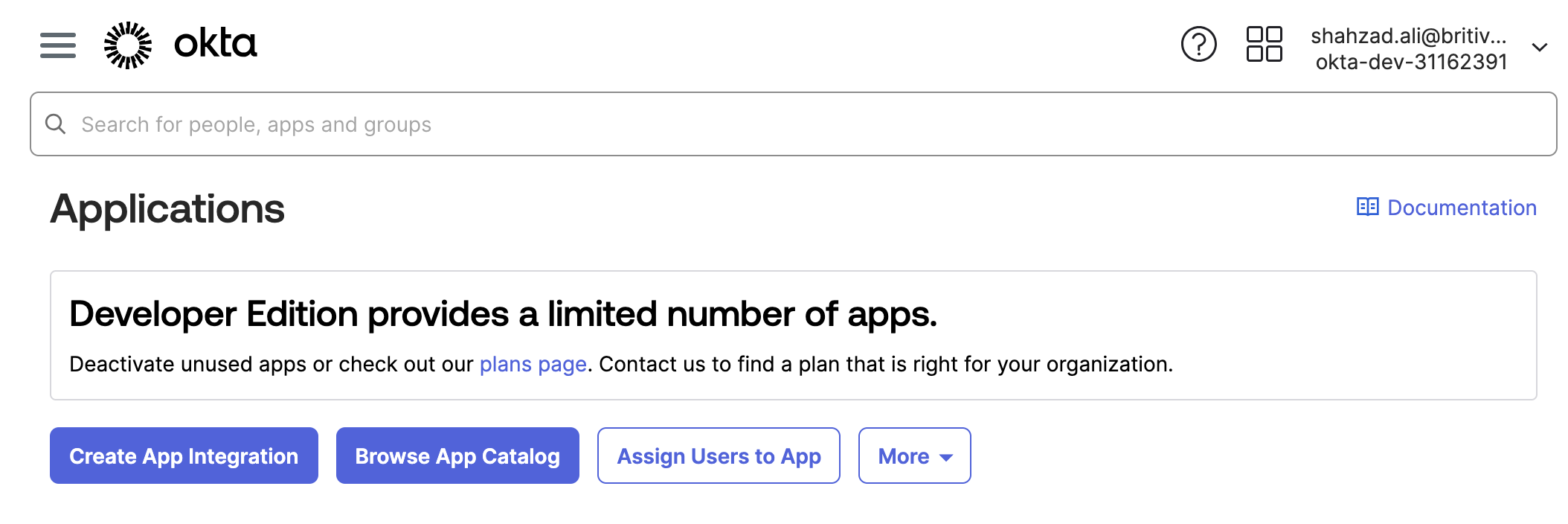
- Navigate to Applications → Applications.
- Click Create App Integration.
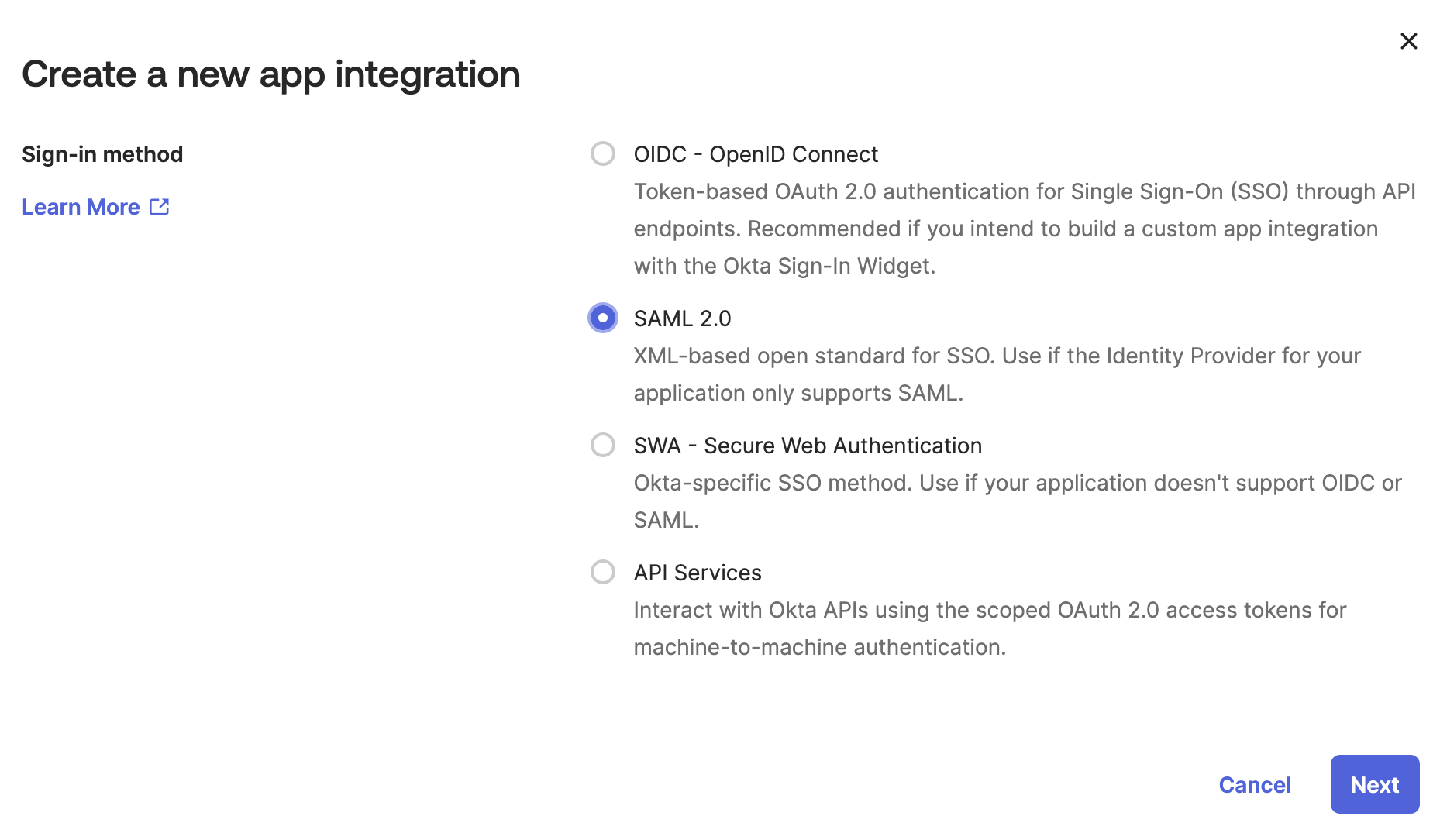
- Choose SAML 2.0 and click Next.
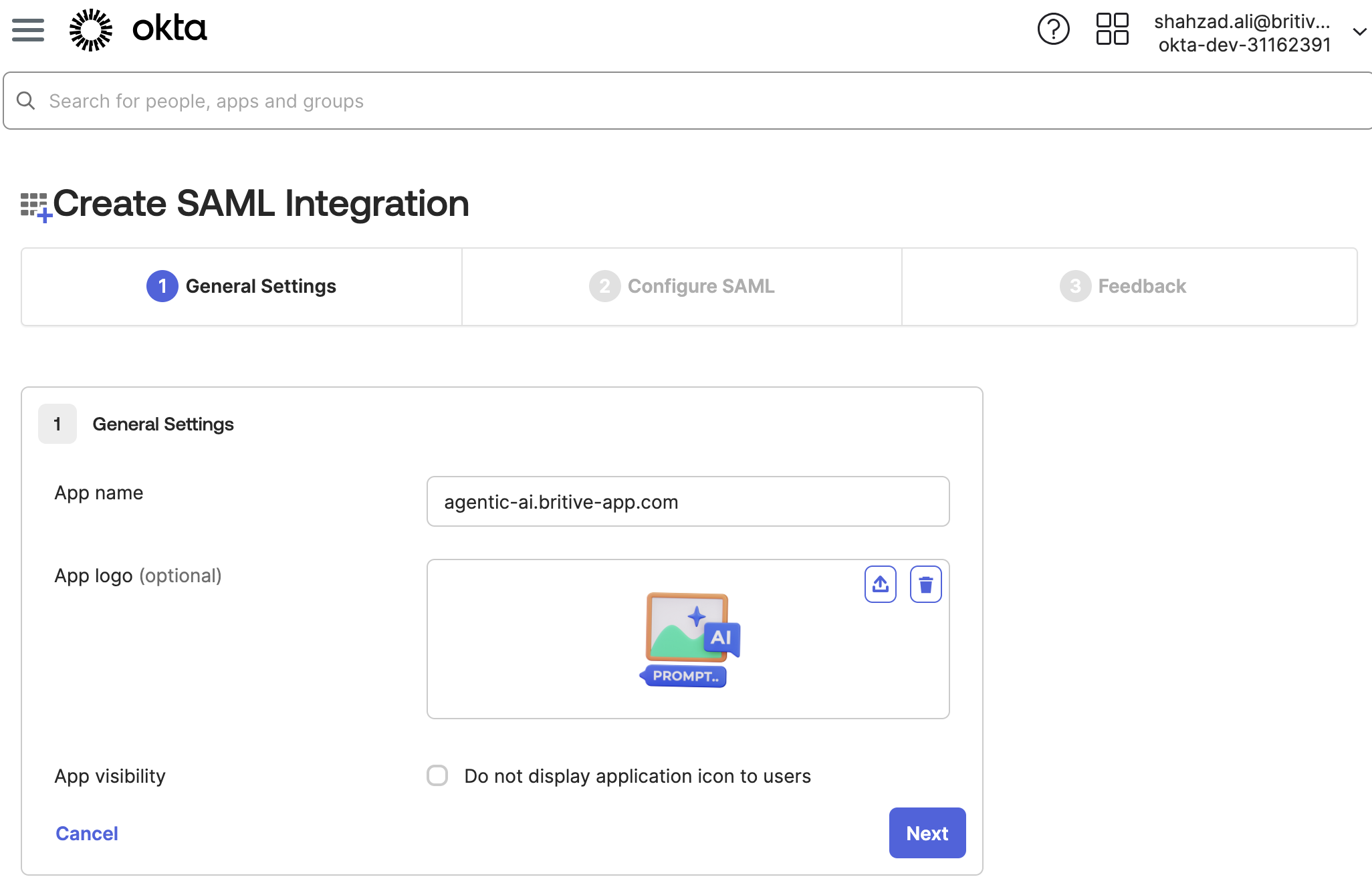
- Fill in the General Settings :
- App name:
Britive - App logo (optional)
- App name:
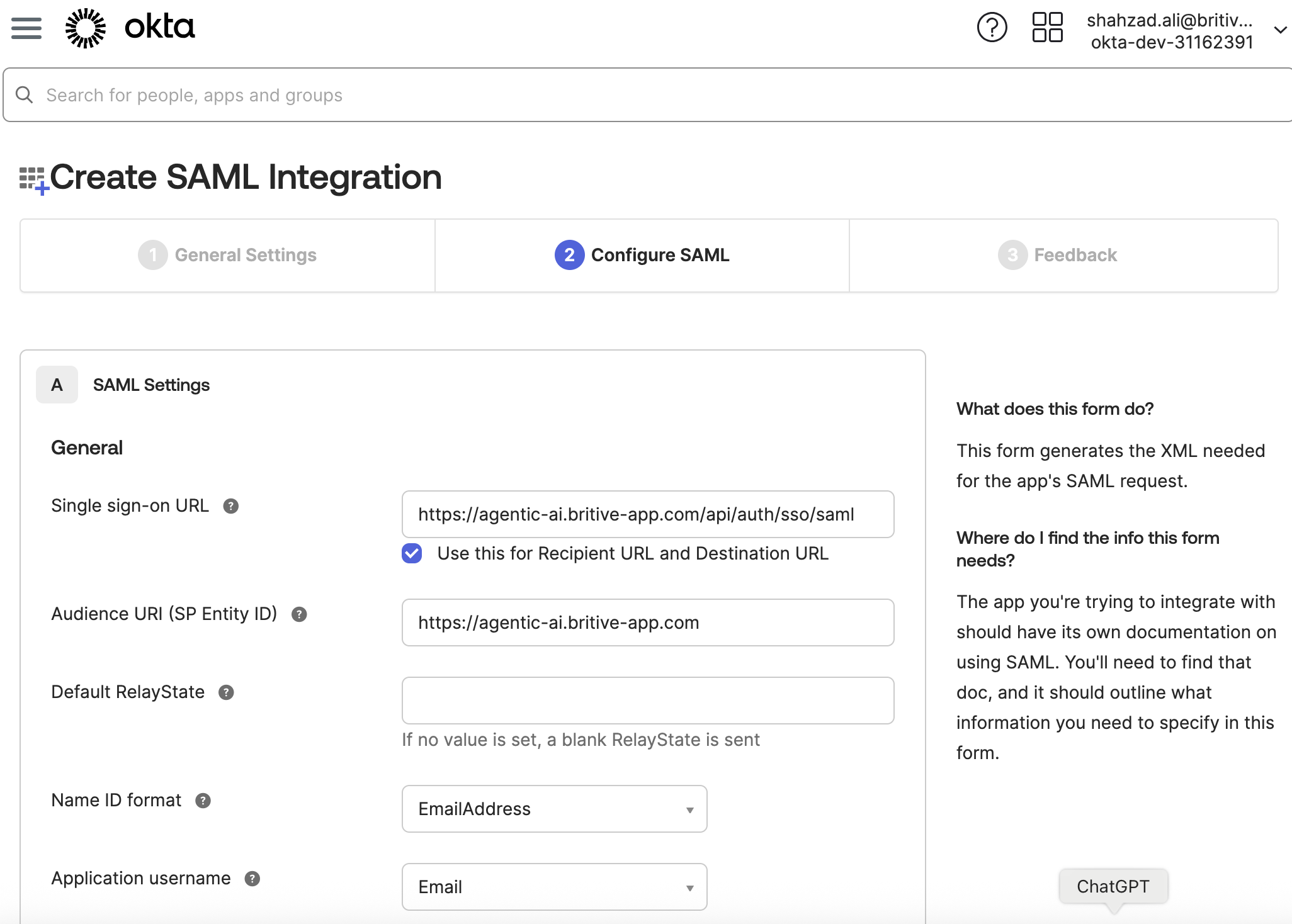
Step 2: Configure OKTA SAML Settings
In the SAML Settings section:
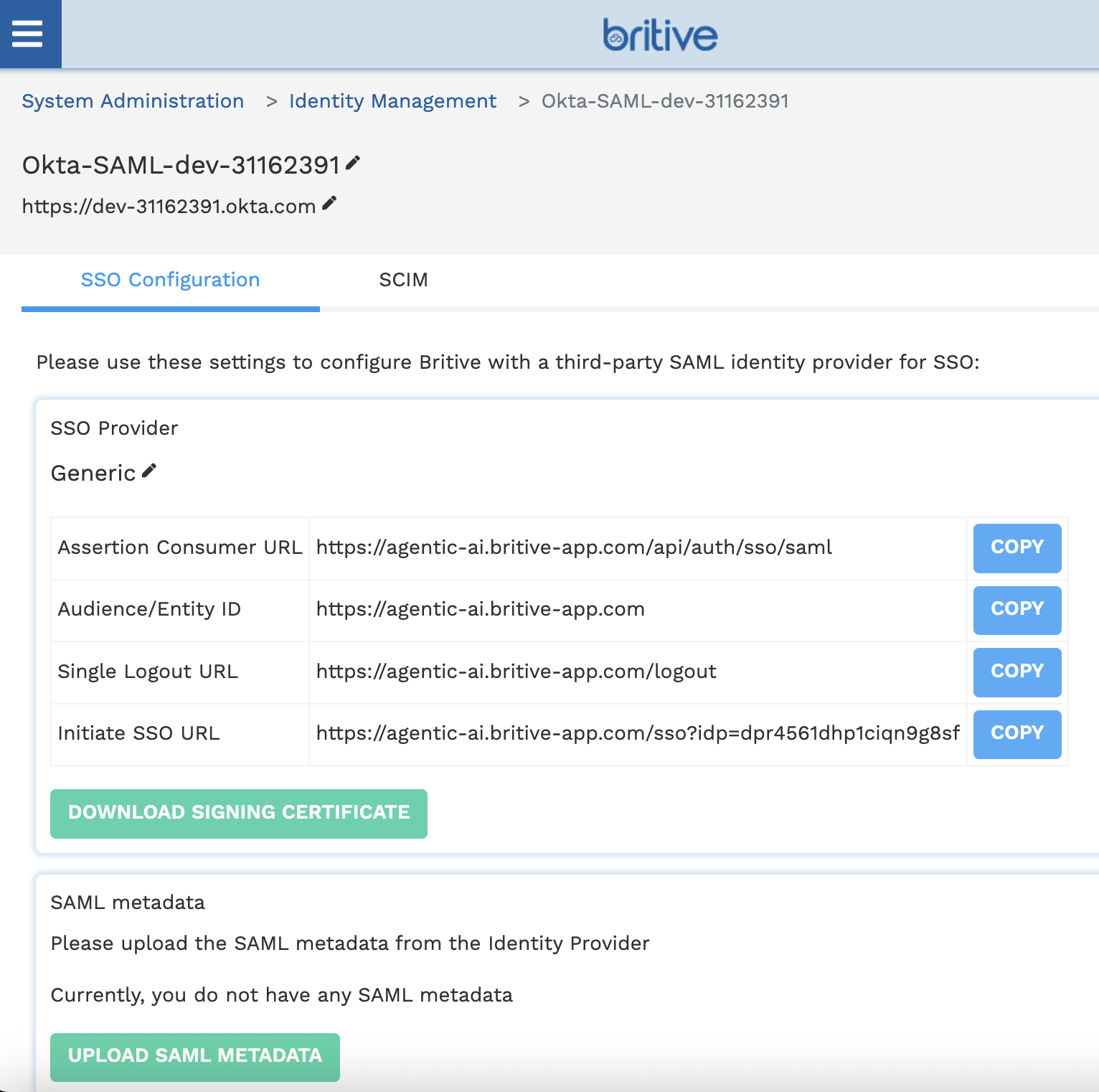
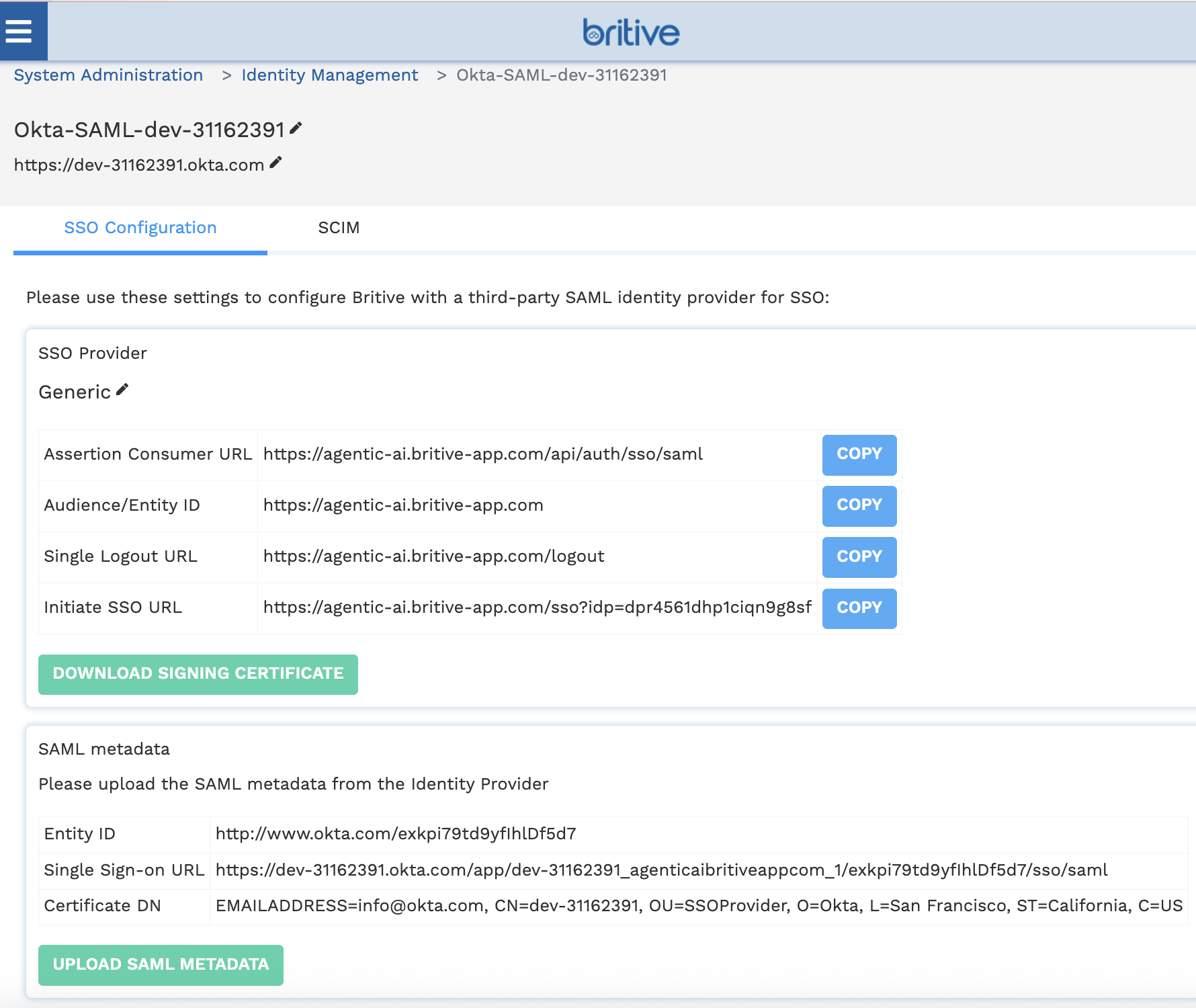
- Single sign-on URL :
Get this from Britive (e.g.,https://<your-tenant>.britive-app.com/sso/saml/acs) - Audience URI (SP Entity ID) :
Also from Britive (e.g.,https://<your-tenant>.britive-app.com/sso/saml/metadata) - Name ID format :
EmailAddress - Application username :
Email
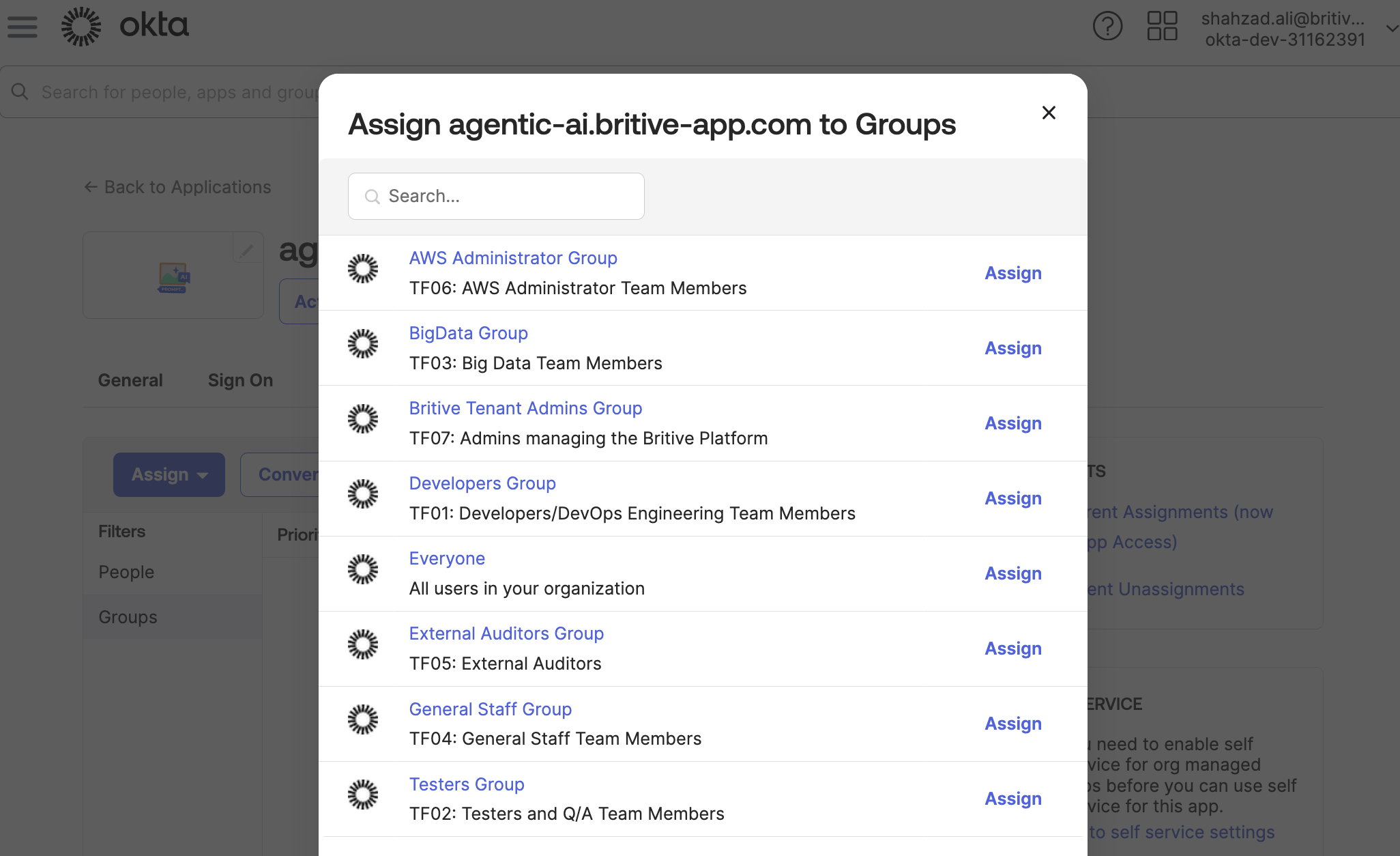
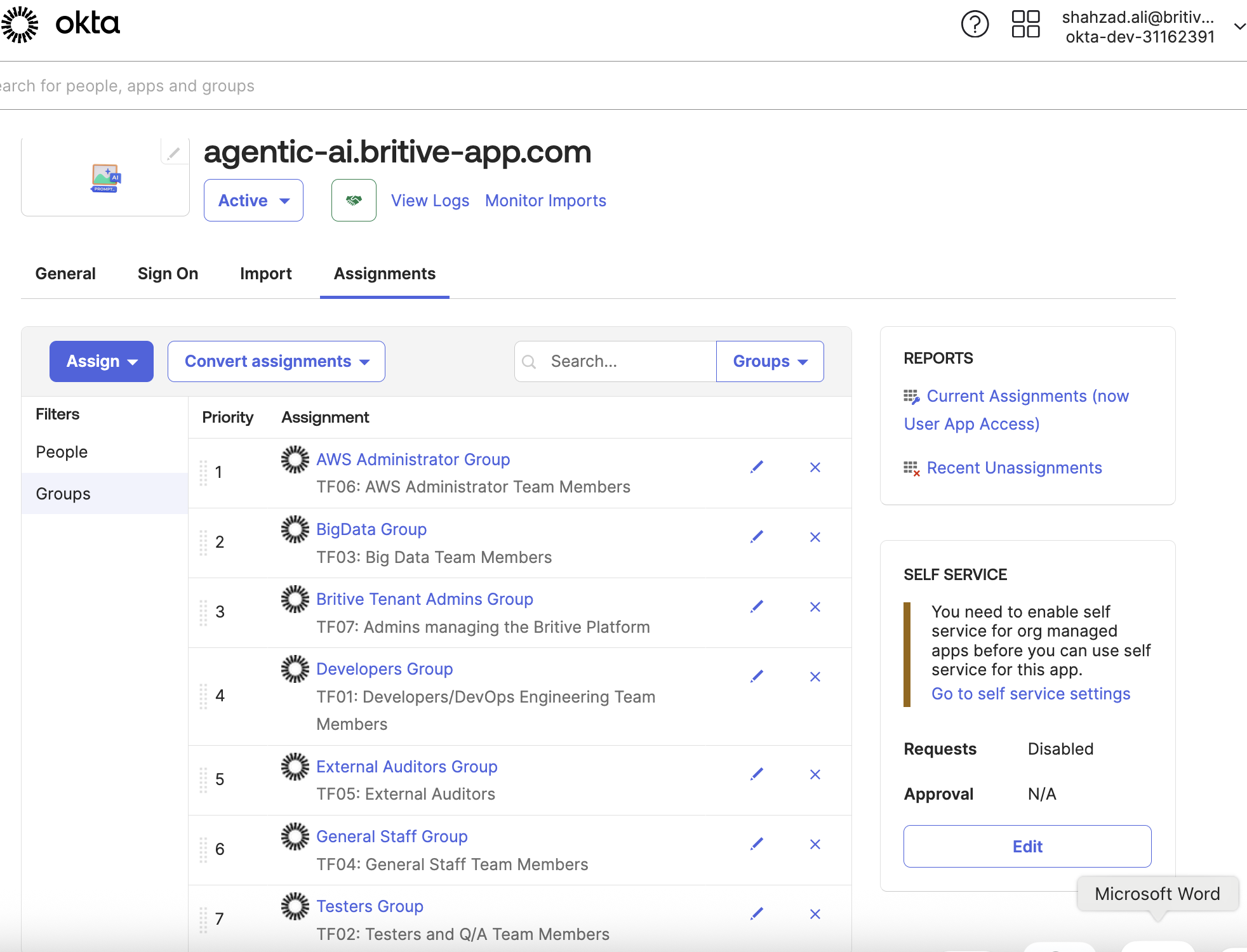
Step 3: Assign OKTA Users to the App
- Go to the Assignments tab.
- Assign users or groups who should have access to Britive.
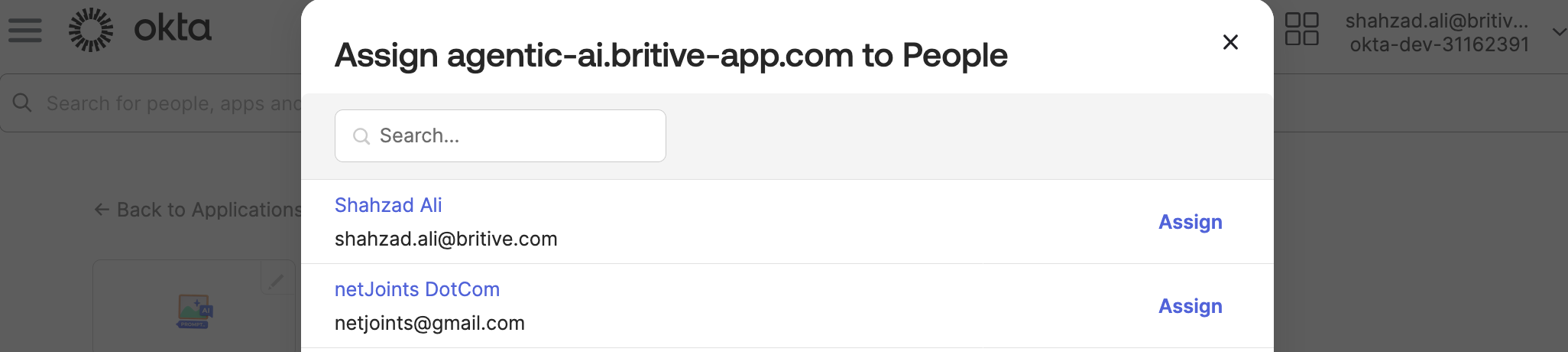
We will use group assignment option.
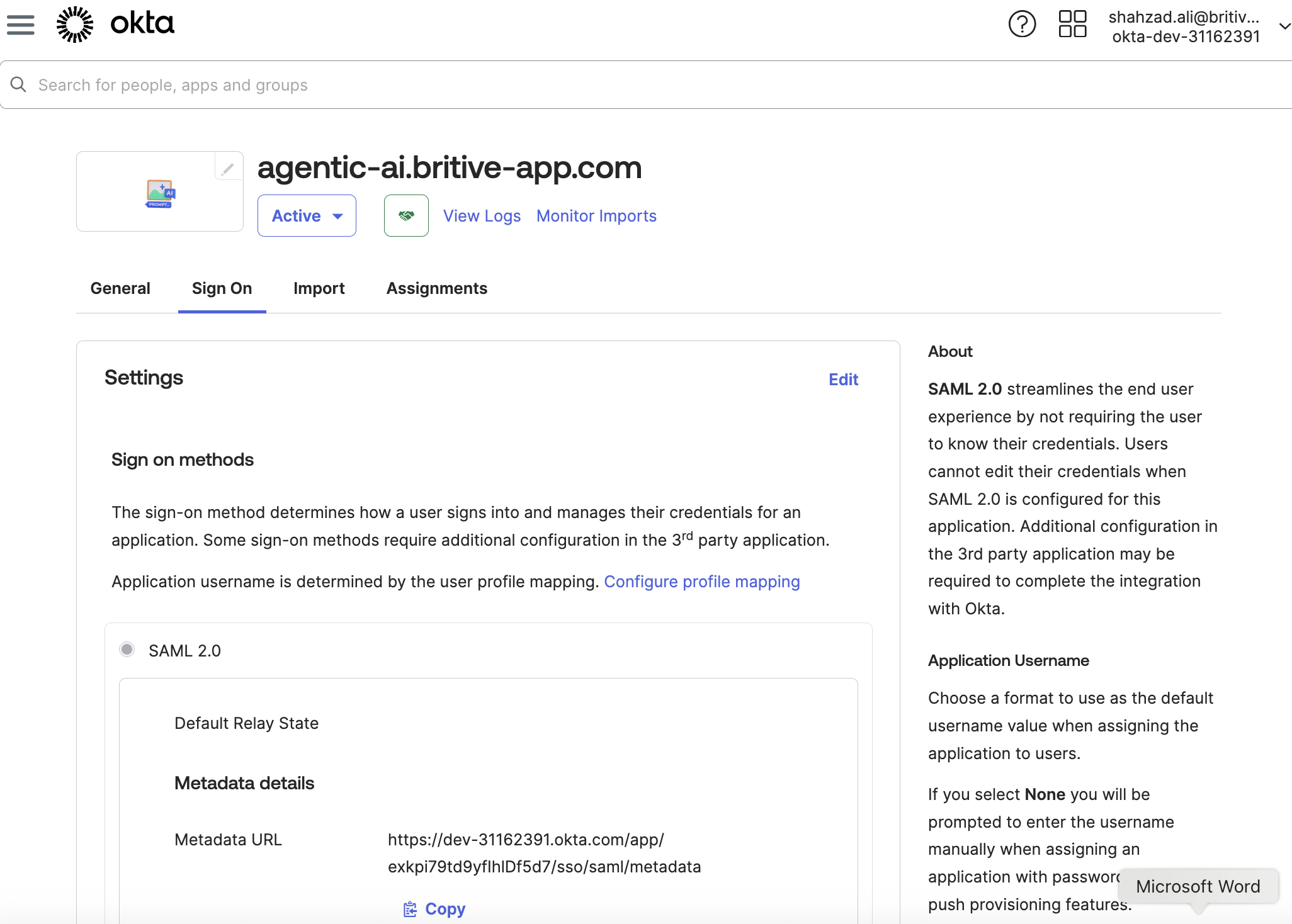
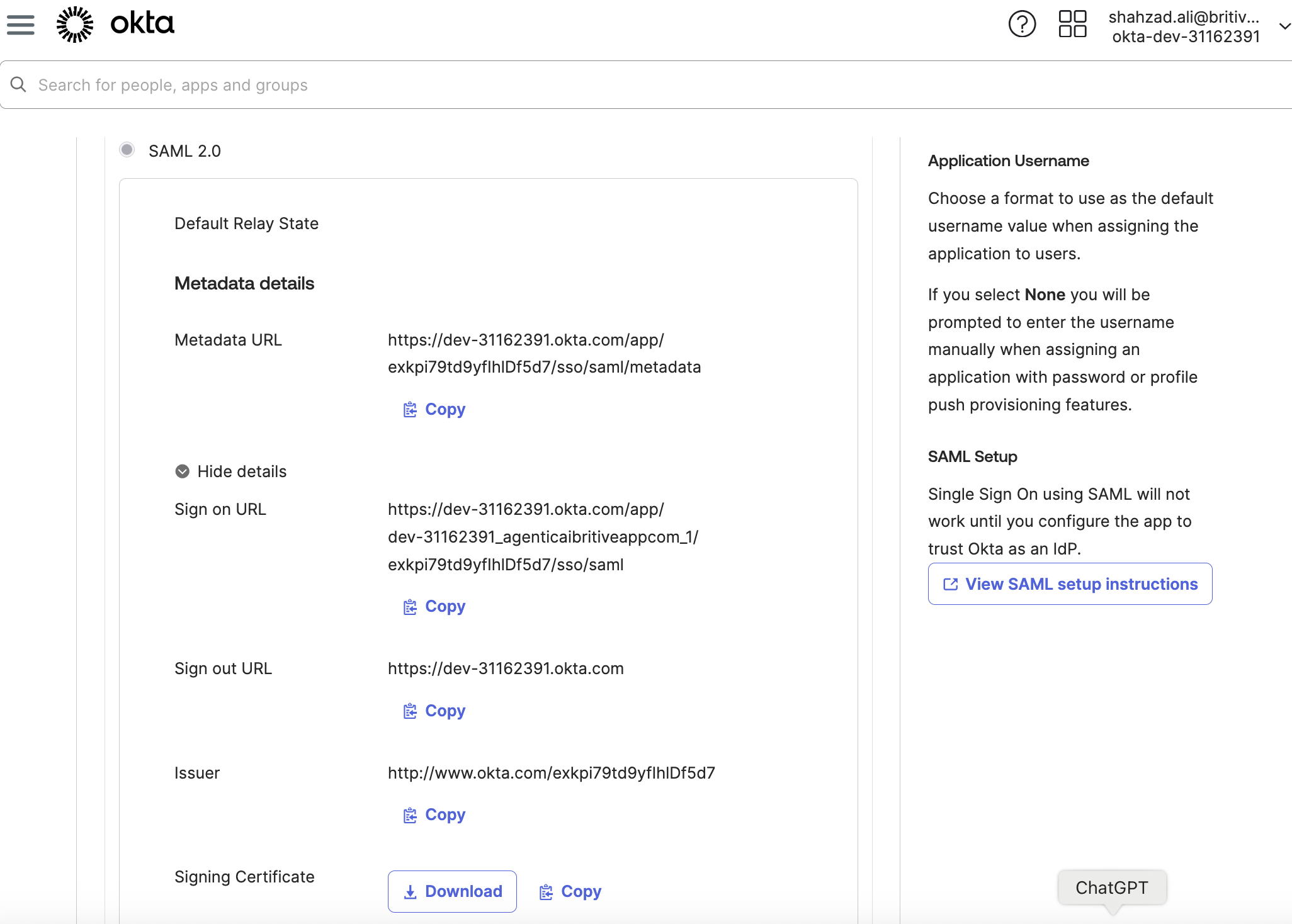
Step 4: Download Metadata
- In the app settings, click Sign On tab.
- Click View SAML setup instructions.
- Copy the Metadata URL or download the XML file.
- Use this in your Terraform config or Britive UI.
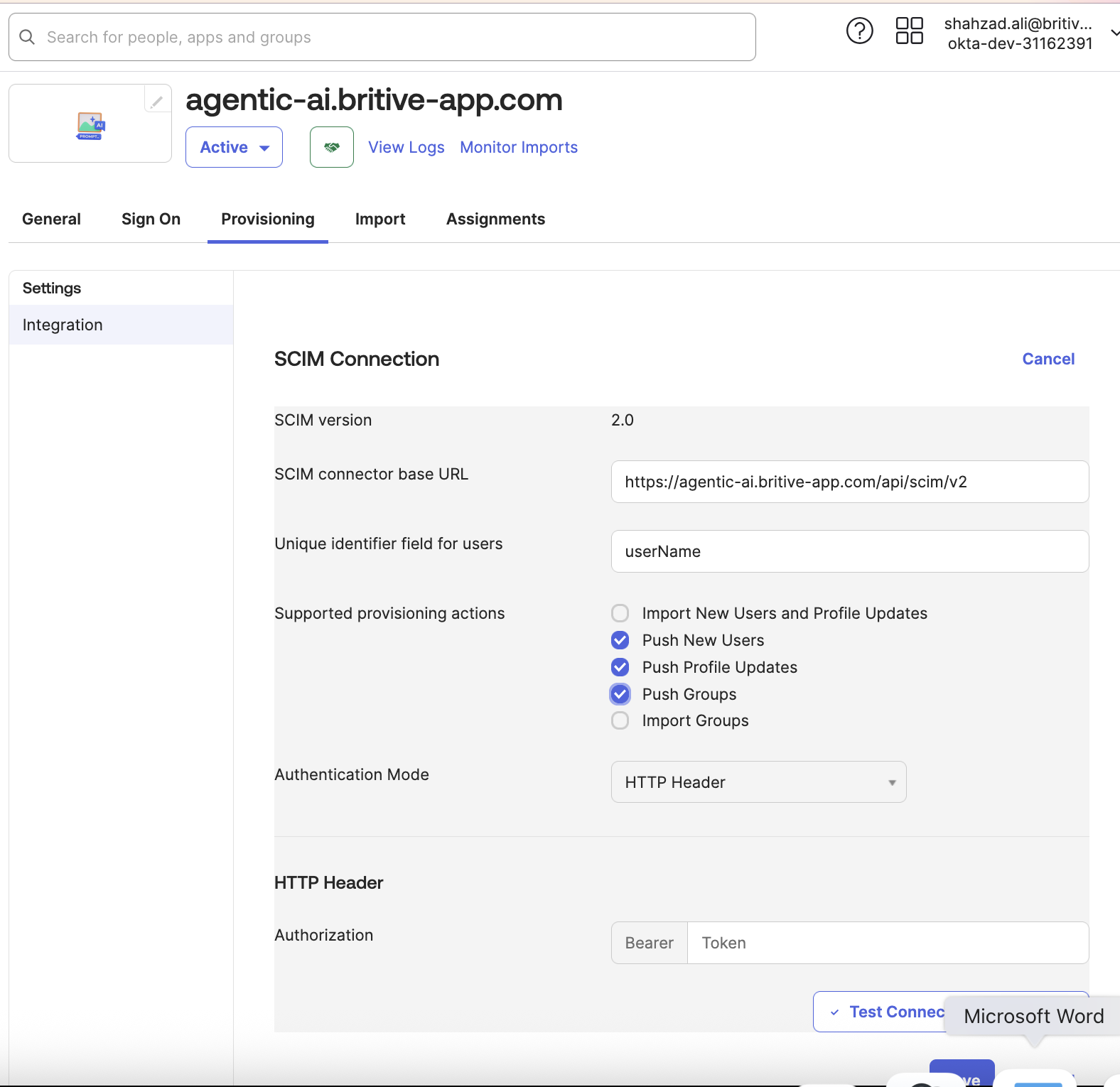
Step 5: Configure SCIM
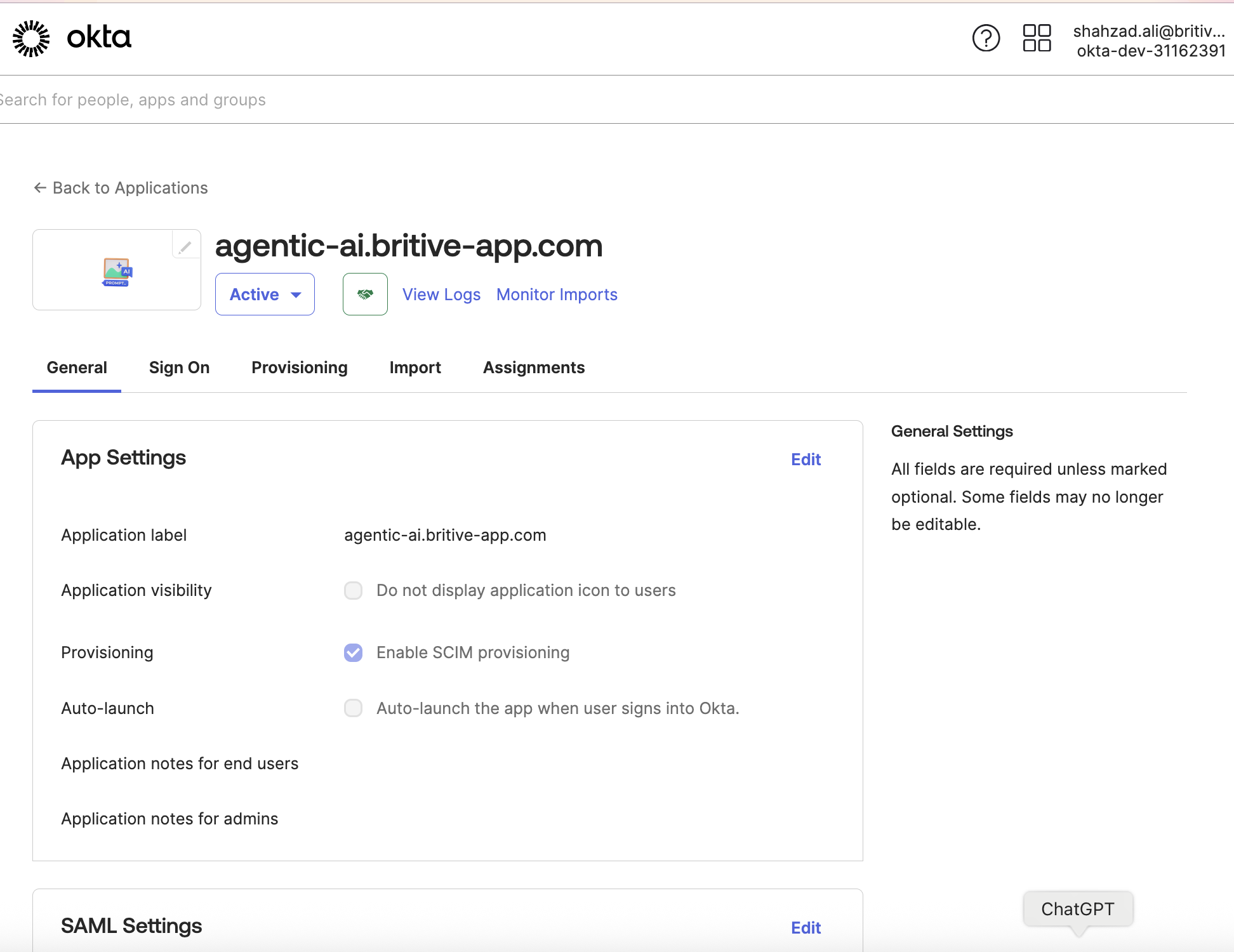
- In Okta, go to the Britive app → Provisioning tab.
- Click Configure API Integration.
- Enable SCIM and enter:
- SCIM Base URL : From Britive SCIM settings
- Bearer Token : From Britive SCIM settings
- Test the connection.
- Enable provisioning features:
- Create Users
- Update User Attributes
- Deactivate Users
Terraform Support
The Britive Terraform provider allows you to manage many Britive resources, including:
- Identity providers
- Permission sets
- Groups
- Roles
However, SCIM provisioning and user management via Okta is typically configured outside of Terraform , directly in the Okta and Britive admin consoles. The Terraform provider is more focused on managing Britive-native configurations and policies
Summary
- Yes , you can integrate Okta as an identity provider and use SCIM for user provisioning in Britive.
- Terraform can manage Britive configurations, but SCIM setup is manual via the Britive and Okta UIs.